Protecting Your Digital Privacy on Public Wi-Fi Networks
Public Wi-Fi networks are ubiquitous in cafes, airports, hotels, libraries, and many other public spaces, offering convenient internet access for people on the go. However, the same openness that makes these networks accessible also introduces potential risks to digital privacy. When you connect to a public Wi-Fi network, your data may travel across an unsecured channel, making it susceptible to interception by malicious actors. Understanding these risks is the first step toward making informed decisions about how to protect your personal information.
This article explores the nature of public Wi-Fi vulnerabilities and presents a range of measures that can help mitigate them. It covers common threats such as eavesdropping, man-in-the-middle attacks, and rogue hotspots, and explains how technologies like VPNs and HTTPS contribute to a more private browsing experience. The focus is on practical, non-technical explanations that empower you to take control of your digital privacy without relying on any single solution.
It is important to note that no single method guarantees complete security, and the effectiveness of any measure depends on various factors, including the network configuration, the websites you visit, and your own device settings. By adopting a layered approach and staying informed about best practices, you can significantly reduce the likelihood of unauthorized access to your data.
Understanding the Risks of Unsecured Wi-Fi
When you connect to a public Wi-Fi network that does not require a password or uses a shared password, your data is often transmitted over the air without encryption. This means that anyone within range with the right tools can potentially capture the data packets flowing between your device and the wireless access point. Cybercriminals may exploit this to steal login credentials, credit card information, or other sensitive data.
One common threat is the man-in-the-middle (MITM) attack, where an attacker intercepts communication between you and the intended destination. The attacker can then eavesdrop, alter messages, or inject malicious content. Another risk is the rogue hotspot, where an attacker sets up a Wi-Fi network with a legitimate-sounding name to lure unsuspecting users. Once connected, all your traffic passes through the attacker’s device, allowing them to monitor and manipulate your activities.
Even networks that require a password can be risky if the password is widely known or if the network uses outdated encryption protocols. For example, WEP (Wired Equivalent Privacy) is easily cracked, while WPA2 and WPA3 offer stronger protection but may still be vulnerable to certain attacks if not properly configured. Additionally, some public networks may have misconfigured settings that expose user devices to each other, enabling peer-to-peer attacks.
It is also worth noting that your device may automatically connect to known network names (SSIDs), which can be spoofed by attackers. This automatic connection behavior can unknowingly expose you to risks even when you are not actively using the internet. Disabling auto-connect for open networks and forgetting networks after use are simple steps that can reduce exposure.
Implementing VPNs for Encrypted Connections
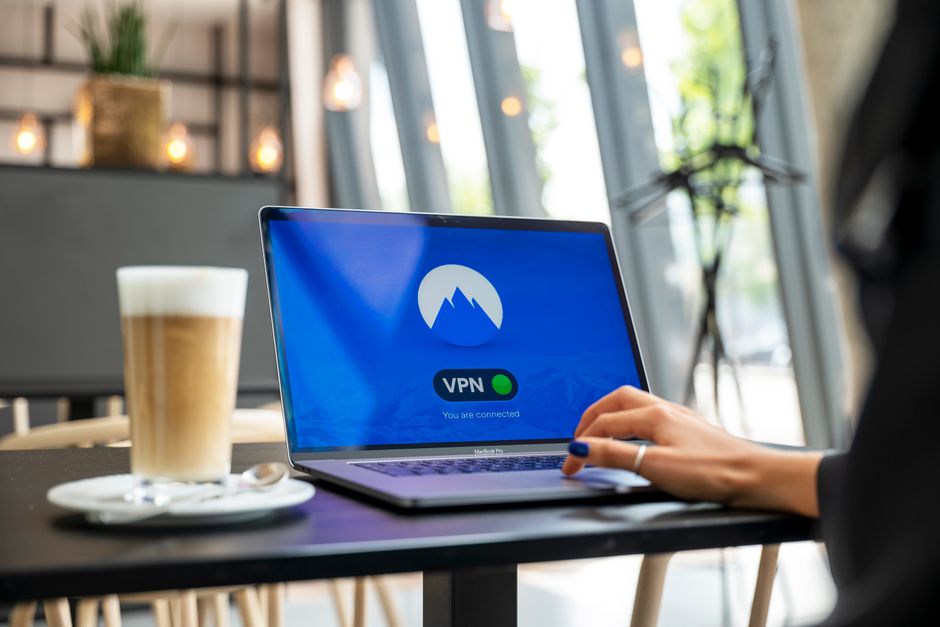
A virtual private network (VPN) is a tool that creates a secure, encrypted tunnel between your device and a VPN server. When you connect to a public Wi-Fi network, the VPN encrypts all your internet traffic, making it unreadable to anyone who might intercept it. This effectively shields your data from eavesdroppers on the local network and beyond, as the encryption persists until the traffic reaches the VPN server.
Using a VPN on public Wi-Fi can help protect your privacy by masking your IP address and concealing your online activities from the local network operator. However, it is important to choose a reputable VPN provider that does not log your data and uses strong encryption protocols. Free VPNs may come with limitations, such as data caps or slower speeds, and some may even sell user data, so caution is advised.
Configuring a VPN is typically straightforward: you install the VPN client on your device, log in with your credentials, and connect to a server. Many VPNs offer automatic connection when joining an unsecured network, which can be a convenient way to ensure protection without manual intervention. Keep in mind that a VPN does not make you completely anonymous; it simply adds a layer of encryption and shifts trust from the local network to the VPN provider.
While a VPN is a powerful tool, it is not a cure-all. It cannot protect against malware already on your device or prevent you from voluntarily sharing information on unsecured websites. Therefore, it should be part of a broader strategy that includes other best practices.
Leveraging HTTPS and Secure Browsing Practices
HTTPS (Hypertext Transfer Protocol Secure) is a standard for secure communication over a computer network. When you visit a website that uses HTTPS, the data exchanged between your browser and the site is encrypted using TLS (Transport Layer Security). This encryption prevents attackers on the same network from reading or modifying the data, even if they can intercept it. Most major websites now default to HTTPS, but it is still wise to check for the padlock icon in the address bar before entering any sensitive information.
Many browsers offer features that can enhance your security on public Wi-Fi. For example, some browsers have a setting to always use HTTPS when available, and they may warn you when you are about to submit data over an insecure connection. Additionally, browser extensions like HTTPS Everywhere can force encryption on sites that support it but do not default to it. However, these measures are not foolproof, as some sites may still have mixed content or outdated configurations.
Beyond HTTPS, practicing safe browsing habits can reduce risks. Avoid accessing sensitive accounts, such as online banking or email, while on public Wi-Fi unless you are using a VPN. Log out of accounts when you are done, and clear your browsing data regularly. Consider using a privacy-focused browser or search engine that blocks trackers and minimizes data collection.
It is also prudent to keep your operating system, browser, and plugins up to date. Security patches often address vulnerabilities that attackers could exploit on public networks. Enabling a firewall on your device can provide an additional barrier against unauthorized access.
Additional Measures and Best Practices
In addition to VPNs and HTTPS, several other measures can help protect your digital privacy on public Wi-Fi. Two-factor authentication (2FA) adds an extra layer of security by requiring a second form of verification, such as a code sent to your phone, even if your password is compromised. Enabling 2FA on important accounts is a recommended practice regardless of where you connect.
Using a mobile hotspot from your smartphone can be a safer alternative to public Wi-Fi, as cellular networks are generally more secure and less prone to local interception. However, this depends on your data plan and the security of your carrier’s network. If you must use public Wi-Fi, consider turning off file sharing and AirDrop, and set your device to forget the network after you disconnect.
Another useful tool is a privacy screen protector for your laptop or phone, which prevents shoulder surfing—where someone nearby physically watches your screen. Be mindful of your surroundings and avoid displaying sensitive information in public. Also, consider using a password manager to generate and store strong, unique passwords for each account, reducing the impact of a single credential leak.
Finally, stay informed about emerging threats and evolving best practices. Security landscapes change, and what works today may not be sufficient tomorrow. Regularly review your privacy settings and adjust your behavior accordingly.
Evaluating Trade-offs and Making Informed Choices
Protecting your digital privacy on public Wi-Fi involves a series of trade-offs between convenience, cost, and security. For instance, using a VPN may slightly reduce your connection speed, while enabling 2FA adds an extra step to your login process. Understanding these trade-offs can help you decide which measures align with your risk tolerance and usage patterns.
It is also important to recognize that no single solution is perfect. A VPN can be compromised if the provider is untrustworthy, HTTPS may not be available on all sites, and even strong passwords can be phished. Therefore, a layered approach that combines multiple defenses is generally more effective than relying on one method.
Consider the sensitivity of the data you will be handling. If you only plan to browse news websites, the risk may be lower than if you need to access your bank account. Adjust your precautions accordingly. For high-risk activities, it may be better to wait until you are on a trusted network.
Ultimately, the goal is to make informed decisions that balance your need for connectivity with your desire for privacy. By staying aware of the risks and applying the measures discussed, you can enjoy the benefits of public Wi-Fi while minimizing potential exposure.